Monitoring for business & home How it works

Hardware, setup & integrations

Build the setup
your operation needs.

Compare sensors and gateways, check requirements and connect your business tools. The same platform also supports home monitoring.

Simple, affordable hardware

Buy once. Monitor forever. No subscriptions on hardware — just the sensors you need.

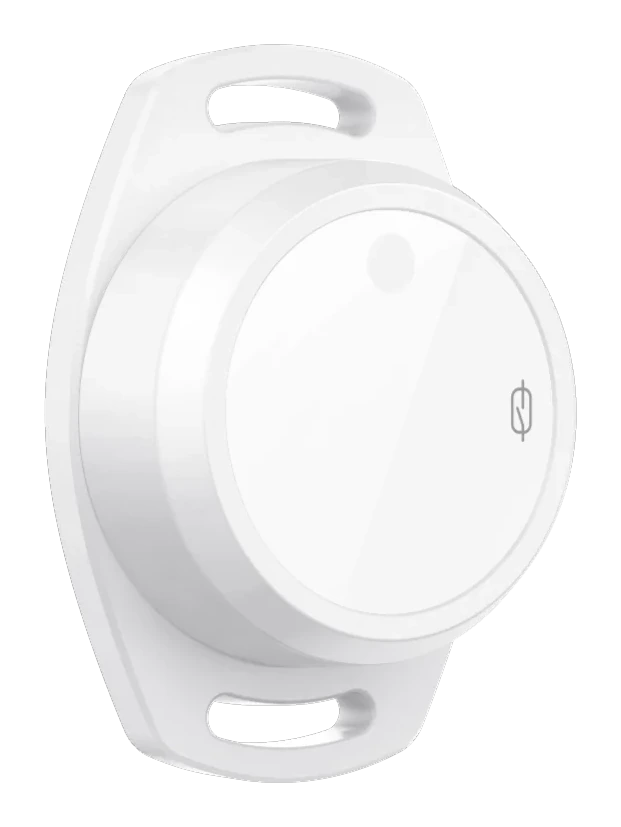
S01 Bluetooth Temperature, Humidity & Motion Sensor

thermotrack.io · S01

Bluetooth Temperature, Humidity & Motion Sensor

A rugged Bluetooth 5.1 sensor with a built-in accelerometer, 2 MB of on-device memory (about 60,000 readings) and a replaceable 2400 mAh battery. Mounts with a sticker, screw, zip tie or magnet, and works with any thermotrack.io-compatible gateway including your own smartphone.

  • Temperature Range-20°C to +60°C
  • Accuracy±0.5°C · ±2% RH
  • Battery Life8+ years
  • ProtocolBluetooth 5.1 LE
  • IP RatingIP67 (water resistant)
  • Wireless RangeUp to 20m line of sight
  • Buffer size60,000 readings
  • CertificationFCC · CE · RoHS · REACH
$15 recommended price per sensor, one-time
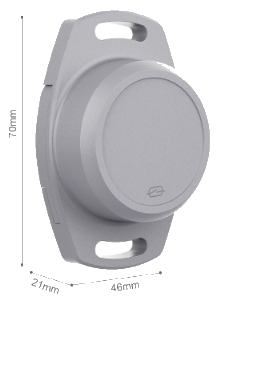
S02 Bluetooth Temperature & Humidity Sensor Best Seller

thermotrack.io · S02

Bluetooth Temperature & Humidity Sensor

A compact, long-life Bluetooth Low Energy sensor that broadcasts temperature and humidity readings every 10 seconds. Works with any thermotrack.io-compatible gateway including your own smartphone.

  • Temperature Range-20°C to +60°C
  • Accuracy±0.3°C
  • Battery LifeUp to 2 years
  • ProtocolBluetooth 5.0 LE
  • IP RatingIP67 (water resistant)
  • Wireless RangeUp to 20m line of sight
  • Buffer size50,000 readings
  • CertificationEN 12830:2018
$15 recommended price per sensor, one-time
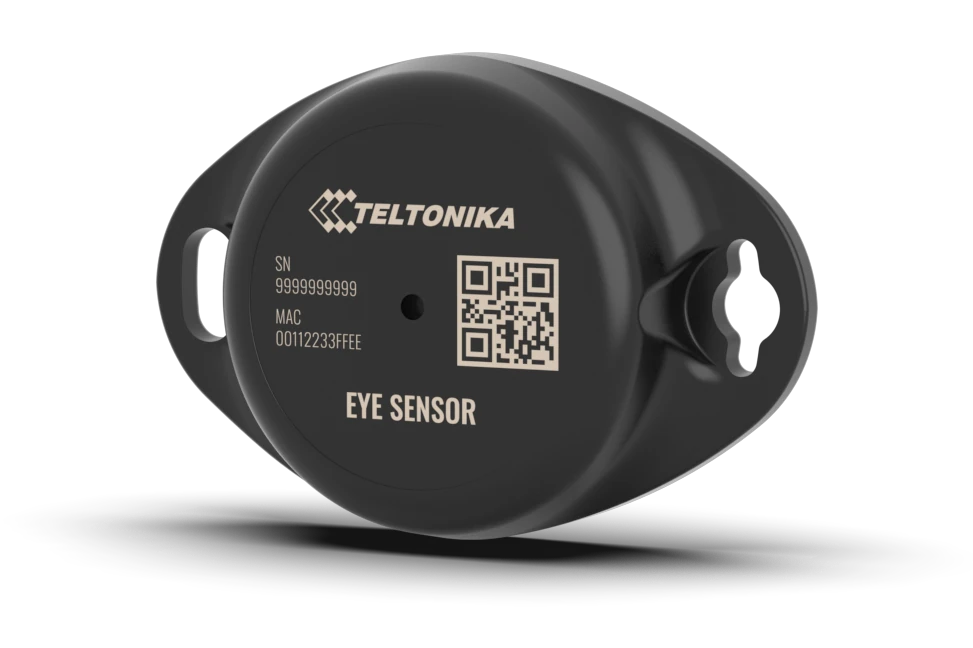
EYE Sensor BTSMP1 — Bluetooth temperature, humidity and movement sensor

EYE Sensor · BTSMP1

EYE Bluetooth Temperature & Humidity Sensor

A compact Bluetooth 5.2 beacon-style sensor with temperature, humidity and movement (accelerometer) sensing, in an IP67 casing with a 600 mAh coin cell rated for 4+ years. It broadcasts live readings but has no on-device memory, so it suits sites and vehicles where a gateway or phone is always in range.

  • SensorsTemp · humidity · movement
  • Temperature Range-20°C to +60°C
  • Battery Life4+ years (CR2450, not replaceable)
  • ProtocolBluetooth 5.2 LE
  • IP RatingIP67 (water resistant)
  • Wireless RangeUp to 20m line of sight
  • Buffer sizeNone (live broadcast only)
  • CertificationCE · FCC · UKCA · RoHS
thermotrack.io BLE to Wi-Fi Gateway

thermotrack.io

BLE to Wi-Fi Gateway

A dedicated always-on gateway that collects readings from up to 30 sensors and forwards them to the cloud over your existing Wi-Fi. Perfect for fixed locations where you don't want to rely on a phone. Your Android phone can also act as a free gateway — iPhones run the app but can't act as a gateway.

  • BLE SensorsUp to 30 simultaneous
  • ConnectivityWi-Fi 2.4GHz (802.11n)
  • PowerUSB-C (5V / 1A)
  • EnclosureIP54 rated
  • SetupUnder 5 minutes
  • Free alternativeUse your smartphone
  • CertificationCE & FCC
$25 one-time (or use your phone free)

No gateway hardware required to get started — your Android phone works as a gateway for free. The dedicated gateway is optional for always-on fixed installations.

Compare sensors

Side-by-side specifications for every sensor thermotrack.io supports.

Models to compare

6 selected

Choose models. On phones, two fit side by side; select more to scroll across.

Side-by-side specifications for every sensor thermotrack.io supports.
Specification S01 sensorS01 S02 sensorS02 EYE Sensor BTSMP1EYE Sensor Minew MST03 sensorMST03 Minew MTB08 sensorMTB08 Ingics iBS08TP sensoriBS08TP
Model S01Bluetooth Temperature, Humidity & Motion Sensor S02Bluetooth Temperature & Humidity Sensor BTSMP1EYE Bluetooth Temperature & Humidity Sensor MST03Asset Temperature Logger MTB08Temperature & Humidity Asset Tag iBS08TPDual-Temperature Probe Sensor
Features
  • Temperature
  • Humidity
  • Temperature
  • Humidity
  • Temperature
  • Humidity
  • Temperature
  • Temperature
  • Humidity
  • Temperature
Temperature Range -20°C to +60°C (±0.5°C) -20°C to +60°C (±0.3°C) -20°C to +60°C (±0.2°C) -30°C to +60°C (±0.5–1°C) -20°C to +60°C (±0.5°C) -50°C to +150°C (±0.5°C)2 m external probe
Humidity range 0–100% RH (±2% RH) 0–100% RH 0–100% RH (±2% RH) Not measured (temperature only) 0–100% RH (±3.5% RH) Not measured (temperature only)
Motion Yes, when in Gateway Range Yes, when in Gateway Range Yes, when in Gateway Range Yes, when in Gateway Range Yes, when in Gateway Range Yes, when in Gateway Range
Storage size 60,000 readingsTemperature and Humidity Only 50,000 readingsTemperature and Humidity Only None (live broadcast only) Not supported by thermotrack.io None (live broadcast only) Not supported by thermotrack.io
IP Rating IP67 (water resistant) IP67 (water resistant) IP67 (water resistant) IP67 (water resistant) IP55 (splash resistant) IP67 (water resistant)
Benefits
  • Historical recording
  • Cost effective
  • Historical recording
  • Cost effective
—
  • Historical recording
—
  • Historical recording
Suitable applications — — — — — —
Important Not suitable for areas with high water exposure or pressure washing. Not suitable for areas with high water exposure or pressure washing. Not suitable for areas with high water exposure or pressure washing. Not suitable for areas with high water exposure or pressure washing. Not suitable for areas with high water exposure or pressure washing. Remote probe fully waterproof for sealed environments.
Supplier MOKO Smart MOKO Smart Teltonika Minew Minew Ingics

What's supported, and what it needs

What works today, what each part needs, and where to get help.

Supported sensors & gateways

Sensors: S01, S02 and EYE Sensor (BTSMP1). Gateways: an Android phone running the thermotrack.io app, or the BLE-to-Wi-Fi gateway (up to 30 sensors at a time).

Connectivity

Sensors talk to the gateway over Bluetooth Low Energy, up to 20 m line of sight. The gateway needs internet: Wi-Fi (2.4 GHz for the BLE gateway) or mobile data for a phone.

Monitoring frequency

With a phone as the gateway, each sensor's reading is recorded once a minute and uploaded about every 2 minutes.

Alerts

Push notifications, email and WhatsApp when a reading leaves the range you set, a sensor stops reporting, or motion starts or stops. Email alerts need Pro.

Offline operation & sync

S01 and S02 sensors keep readings in their own memory when out of range, and the app collects them when it reconnects. The phone app also queues readings while offline and uploads them later, marked as delayed. The EYE Sensor has no memory, so readings broadcast out of range are lost.

Data retention

Readings are stored for 120 days, including for 120 days after you cancel. Starter shows the last 7 days; Pro shows 120.

Documentation & API

User guides for the sensors, gateway and app are in Docs; the REST API is documented at api.thermotrack.io; AI assistants can connect over MCP.

Support

Email support@thermotrack.io for help with setup and use, or sales@thermotrack.io for orders and pricing. We aim to reply within 24 hours.

Common questions

Do I need to buy the gateway hardware?

No. Your Android phone can act as the gateway completely free of charge. Simply install the thermotrack.io app, leave your phone near the sensors, and it will collect and upload all readings automatically. The dedicated hardware gateway is an optional upgrade for permanent installations where you'd prefer not to use a phone.

How far can the sensors transmit?

The S02 sensor uses Bluetooth 5.0 LE and can reach up to 20 metres between sensor and gateway. Walls and obstacles inside buildings shorten that, so for larger spaces you can place multiple gateways (or phones) to extend coverage.

Does thermotrack.io work without internet?

Yes — the local event buffer stores up to 5,000 readings on the gateway device itself. This means you won't lose data during internet outages. Once connectivity is restored, all buffered readings are uploaded automatically. For mobile data, the app uses very little data (roughly 1 MB per sensor per month).

Is thermotrack.io suitable for delivery drivers recording cargo temperature?

Absolutely. Drivers place an S02 sensor in the cargo area of their vehicle. The driver's own Android phone acts as the gateway via Bluetooth. Every reading throughout the route is logged with a timestamp. At the end of the delivery, a full temperature report can be exported as CSV or PDF — providing proof of safe temperatures for the entire journey.

How long does the sensor battery last?

The S02 uses a standard CR2477 or AA battery and typically lasts 18–24 months depending on broadcast interval. The app shows battery level for each sensor and will notify you when a battery is running low so you have plenty of time to replace it.

Can I use thermotrack.io for a fish tank or aquarium?

Yes! The S02 is IP67 rated (water resistant), so it can be placed near a fish tank. Set your target temperature range (e.g. 26–28°C for tropical fish) and thermotrack.io will alert you the moment the temperature drifts — meaning you'll be notified immediately if a heater fails, even while you're asleep or at work.

Can I cancel my subscription at any time?

Yes, absolutely. There are no contracts or lock-in periods. Cancel any time from the Settings screen in the app. Billing is quarterly, so you'll continue to have access until the end of the quarter you've already paid for.

Is my data secure and private?

Yes. All data is encrypted in transit (TLS 1.3) and at rest (AES-256). We are GDPR compliant — you can request a full export or deletion of your data at any time. We never sell your data to third parties. See our Privacy Policy for full details.

Does using my phone affect battery life?

Yes, because the thermotrack.io app stays permanently connected in the background to read your sensors 24/7, it will use approximately 3–5% of your phone's battery per day for this operation. We recommend keeping your phone plugged in when it is being used as a dedicated gateway — for example, on a dashboard mount in a delivery vehicle.

Are the sensors certified?

The S02 sensor is certified to EN 12830:2018, the European standard for temperature recorders used in the transport, storage and distribution of temperature-sensitive goods. Certification depends on the sensor model, so ask us for the certificate and supporting documentation for the model you choose.

The complete monitoring platform

Beyond the mobile app, the thermotrack.io web dashboard adds the advanced tools compliance teams need — live maps, geofencing, automated rules and audit-ready reporting.

Live Map & Location

Plot every sensor on a live map with temperature and humidity popups. Switch between road and satellite views, filter by time range — Now to 7 days or custom — and export to XLS, CSV, image or PDF.

Geofencing Zones

Draw inclusion or exclusion zones directly on the map. thermotrack.io flags the moment a device enters or leaves a defined area — ideal for depots, delivery routes and restricted storage.

Work Schedules

Set your operating hours on an hour-by-day grid with business-hours and weekend presets, plus a country public-holidays calendar — so alerts only fire when you're actually open.

AI Insights

Get an AI-generated weekly summary of your monitoring: threshold violations, week-over-week trends, connectivity and uptime issues, and alert volume — with a full history of past weeks.

Smart Notification Rules

Build alert rules from any condition — high or low temperature and humidity, sensor or gateway found or lost, or periodic checks — delivered by WhatsApp or email, with cooldown and trigger tracking per device.

Report Library

One-click, audit-ready reports: Alert Report, Asset List, Temperature Audit, Trip Temperature, IT Audit and Detailed Temperature. Preview on screen, then export to PDF or XLS.

Gateways & Alerts

Manage every gateway — connection and BLE status, app version, connected-device counts and stats — and work through alerts on their own screen: filter by type, acknowledge them and keep the full history of what was resolved.

Forms & Form Entries

Build your own forms in the designer — around 38 field types including drop-downs, signature, drawing, photo, file, barcode and QR — in mobile, tablet or desktop layouts with your logo and colours. Share them publicly on forms.thermotrack.io, then view every submission, download its attachments and archive it.

See every form feature →

Form Email Automation

Have a submitted form emailed on the spot: choose the recipients — or take the address from a field on the form — set the subject and message, and thermotrack.io sends a formatted copy of the entry, attachments included.

See every form feature →

Journeys

Every trip a mobile agent makes, with start and end address, distance and duration, on a map or as a reading history. Filter by agent and time range, and open the pictures taken along the way — each with its size, timestamp and a download.

Agent Fleet

Every phone collecting readings in one list: pair a new one by scanning its QR code, allocate the sensors and forms it may use, and watch its Bluetooth status, app version and data usage. Enable or revoke an agent at any time.

Data Export Builder

Build the export you need: pick fields across readings, device details, zones, work schedules, journeys and sensor usage, filter and group them, add totals and averages, then download CSV or Excel — and save the whole thing to run again.

API Keys & API Log

Create your own API keys in the app, drag the scopes each key may use, and give it an expiry date. Every call the key makes is listed with its time, endpoint and parameters, so you can see exactly what an integration did.

Motion & Usage

See at a glance whether each sensor is moving or standing still, get an alert when motion starts or stops, and read how long equipment was actually in use — on the history charts and in every export.

Also included, at no extra cost

WhatsApp alerts alongside push and email · Supporting your language requirements · Dark mode · Demo data to explore, removed with one click · Delete your account yourself, whenever you want · Readings buffered offline are uploaded later and marked as such

Documentation & Downloads

Everything you need to set up, operate, and integrate thermotrack.io. More documents are added regularly.

S02 Sensor Quick Start Guide

Unbox, pair, and start receiving live readings in under 5 minutes. Covers Bluetooth pairing, mounting, and first-alert setup.

PDF · 0.1 MB · v2.1 Download

BLE Gateway Setup Manual

Step-by-step Wi-Fi configuration, multi-sensor registration, and network troubleshooting guide for the dedicated gateway device.

PDF · 0.1 MB · v1.3 Download

Mobile App User Guide

Full walkthrough of the iOS and Android app — dashboard, alert configuration, report generation, team access, and notification settings.

PDF · 0.2 MB · v4.0 Download

Compliance & Audit Trail Guide

How to generate, export, and present temperature logs for health inspectors, food safety audits, pharmaceutical regulators, and cold-chain customers.

PDF · 0.1 MB · v2.0 Download

More Coming Soon

Additional guides, data sheets, and integration documentation will be published here. Contact us if you need a specific document sooner.

All documents are available in English. Translated versions for Indonesian, Thai, and Malay available on request — contact us.

Apps & video

Your next step, made simple.

Get the Android app to collect readings with your phone, or watch the product video.

Integrate with the thermotrack.io API

Read your sensors, their readings and your agents — and add new ones — over a plain REST API.

Start with the API

Create a scoped key in the app’s Integration page. Use the examples below, or open the full reference and request simulator.

Base URL
https://api.thermotrack.io/v1/
Authentication
Authorization: Bearer YOUR_API_KEY
Requests
POST · Content-Type: application/json
Core endpoints and key permissions
Endpoint Required scope Use it for
/devices read:devices Your sensors
/thermo_history read:devices Readings history
/agents read:agents Agents
/device_add write:devices Add a sensor
/agent_add write:agents Add an agent

History requests cover up to 31 days per call. Invalid or expired keys return 401; insufficient permissions return 403.

Connect an AI assistant, too.

Self-service MCP access — AI-assistant (MCP) access is switched on per account on request.

Ask about MCP access

Every endpoint is a POST to https://api.thermotrack.io/v1/ with a JSON body, authorised by a key you create on the Integration page of the app. A key carries only the scopes you give it, and every call it makes is listed there.

Your sensors

List the sensors on your account, and add a new one by MAC address and name — the same list the app shows.

Readings history

Pull the readings of one sensor between two times: timestamp, temperature, humidity, motion, battery and position.

Agents

List the phones collecting your readings and create a new one with its name and access code, ready to pair.

Keys, scopes and a call log

Issue keys in the app, limit each to the scopes it needs — read or write, sensors or agents — give it an expiry, and read back every call it made.

# Every sensor on your account POST https://api.thermotrack.io/v1/devices Authorization: Bearer YOUR_API_KEY Content-Type: application/json {} ── Response ────────────────────────────── [ { "mac_address": "60:B7:63:34:89:60", "name": "Mobile Sensor" } ]
# Readings of one sensor between two times POST https://api.thermotrack.io/v1/thermo_history Authorization: Bearer YOUR_API_KEY { "mac_address": "60:B7:63:34:89:60", "start_ts": "2026-09-19T06:00:00Z", "end_ts": "2026-09-19T18:00:00Z" } ── Response ────────────────────────────── [ { "event_ts": "2026-09-19T06:00:10Z", "temperature": 4.2, "humidity": 68, "motion": 1, "battery_percent": 94, "lat": 1.2897, "lon": 103.8501 } ]
# The phones collecting your readings POST https://api.thermotrack.io/v1/agents Authorization: Bearer YOUR_API_KEY {} ── Response ────────────────────────────── [ { "agent_id": "6f1c…", "agent_name": "Driver 1", "agent_code": "4821", "disabled": false, "create_date": "2026-09-01" } ]
# Add a sensor, or an agent, from your own system POST https://api.thermotrack.io/v1/device_add Authorization: Bearer YOUR_API_KEY { "mac_address": "60:B7:63:34:89:61", "name": "Chiller 2" } POST https://api.thermotrack.io/v1/agent_add { "agent_name": "Driver 2", "agent_code": "7314" } ── Response ────────────────────────────── { "device_mac": "60:B7:63:34:89:61", "device_name": "Chiller 2" }

Full API Reference

Endpoint parameters, key permissions, errors and a live request simulator are available at api.thermotrack.io.

View API Docs

Here when you need us

Let’s make your setup simple.

Tell us what you want to look after. We’ll help you choose the sensor and setup that fit.

Worldwide Shipping to 40+ countries
Response time Within 24 hours